

Here’s the challenge with senior IC roles: you’re expected to deliver outsized impact, but you don’t have a team. You scale through yourself.
Last year, I stepped into the Microsoft SharePoint AI platform as an L67 IC.
I set out on a deliberate quest: become a stronger AI PM, deliver impact worthy of my role, learn a heck of a lot, and make it fun.
The catch? To truly learn AI, I had to go deep. Build things. Experiment. That eats time.
So I made a bet: use AI to scale everything else, and use the time I saved to go deeper on what mattered.
This post is about that bet. What worked. What didn’t. And what I learned.
Start with a curiosity mindset
Before I get into the specifics, there’s a mindset shift worth naming.
If you approach AI tools expecting them to save time immediately, you’ll give up quickly. The first time you try a new tool or solve a new problem with AI, it often takes longer. You’re learning the tool. You’re figuring out how to prompt it. You’re discovering what it’s good at and where it falls short.
I adopted an curios, AI-first, approach, even when it felt slower.
The payoff came later. Once I’d learned a workflow, the second and third time were dramatically faster. The investment compounded. But it required patience upfront and a willingness to experiment without expecting instant returns.
That mindset made everything else in this post possible.
The investment: going deeper
As product managers, we’re trained to focus on the why and the what. We leave the how to engineering.
With AI, I made a different choice. I decided to go deep on the how as well.
That meant learning the Copilot stack hands-on. Not at a conceptual level. Not enough to have conversations. Enough to build.
Building sample apps
My customers are developers. The fastest way to enable adoption and create value was to give them high-quality sample code.
So I built an AI agent myself.
The agent retrieves knowledge from SharePoint repositories, reasons over it using the Microsoft Foundry agent service, and produces a finished professional report for scenarios like audits or compliance reviews.
This solved a real problem customers have. Many were extracting documents, vectorizing them externally, and re-implementing security from scratch. I wanted to offer a better way: reason in place using native Copilot APIs.
I used GitHub Copilot extensively here. It helped me understand new SDKs and sample codebases at scale (think about the wave of announcements that hits right after a big conference like Microsoft Build!), and write my own agent code faster than I could have alone.
That single sample, which ended up being one of the top most-clicked solution, did a few things for me:
Helped customers adopt the platform faster
Deepened my understanding of the AI stack
Directly informed my product roadmap
Made partner conversations sharper and more credible
Gave the engineering team a headstart to publish a production-ready solution template
What I learned: Going deep on the technical stack didn’t make me a worse PM. It made me sharper. I asked better questions. I spotted gaps faster. I stopped relying on secondhand understanding. Building something real created a feedback loop that made every other part of my job better. AI didn’t replace my PM skills here. It amplified them.
Manually running and analyzing evals
Evals are one of those things that sound straightforward until you actually do it.
I’d seen eval reports. Aggregated metrics. Pass rates. But I didn’t truly understand how evals worked until I ran them myself.
And here’s the thing: looking at aggregated reports wasn’t enough either.
The real learning came when I walked through individual evaluations one by one. Looking at specific assertion failures. Comparing AI responses against ground truth. Asking why this particular case failed.
That manual review surfaced gaps in my product that no dashboard would have shown me.
When I needed to analyze scoring reports at scale, I used Copilot Analyst to create complex pivot tables. It helped me slice the data in ways that would have taken me hours to set up manually.
What I learned: Two things. First, do it yourself. Don’t outsource understanding to summaries. Second, manually review things. Don’t insist on scale review before you’ve done the slow, careful work. The texture lives in the details.
Creating an environment to move fast
In a corporate environment, building code isn’t trivial. Compliance matters. Test environments expire. Setup is time-consuming.
So I invested in setting up my own development tenant, Github integration with Visual Studio Code, automation scripts, shortcuts, and a personal wiki to recreate environments quickly. These environments are ephemeral by design, so automation mattered.
AI helped me write those scripts, document the steps, and reduce friction every time I had to start over. What used to take half a day became thirty minutes.
What I learned: Scaling yourself often means investing in infrastructure that only you will use. It feels like overhead until you realize it’s what makes speed possible. AI accelerated this investment dramatically.
The offset: scaling with AI
Going deep was half the equation. The other half was making sure everything else didn’t fall apart.
I needed to scale tasks that would otherwise eat my calendar: content creation, conference prep, communication, and the hundred small decisions that pile up every week.
AI became the way I bought back time.
Using dictation and AI to think out loud
I use dictation heavily. Like I did while capturing the notes for this post.
Speaking is faster than typing. It’s easier on the eyes. I can do it while walking.
AI is remarkably good at turning rough, spoken thoughts into structured output. I use this for strategy docs, internal posts, planning notes, and even first drafts of content like this.
I don’t aim for polish at first. I aim for momentum. Get the thinking out. Let AI help organize it. Then edit.
What I learned: The bottleneck for most knowledge work isn’t quality. It’s starting. Dictation plus AI removes the blank page problem. I capture more ideas, lose fewer insights, and create more output than I ever could typing from scratch.
Demos that tell stories
Platform products are notoriously hard to demo. Without a real scenario, you’re just showing APIs.
For conferences and customer conversations, I needed more than functionality. I needed a believable end-to-end story.
AI helped me:
Ideate demo scenarios that felt real
Generate realistic sample documents
Create mockups, screenshots and prototypes
Build demo-ready sample apps
For UX prototypes and sample apps, tools like V0, Lovable, and Cursor were invaluable. They let me go from idea to working prototype in hours instead of days.
This let me show possibility. Customers could see themselves in the story.
What I learned: Demos are storytelling. AI is very good at generating the raw material for stories: sample data, realistic content, visual scaffolding. The creative direction still has to be yours, but the production cost drops dramatically.
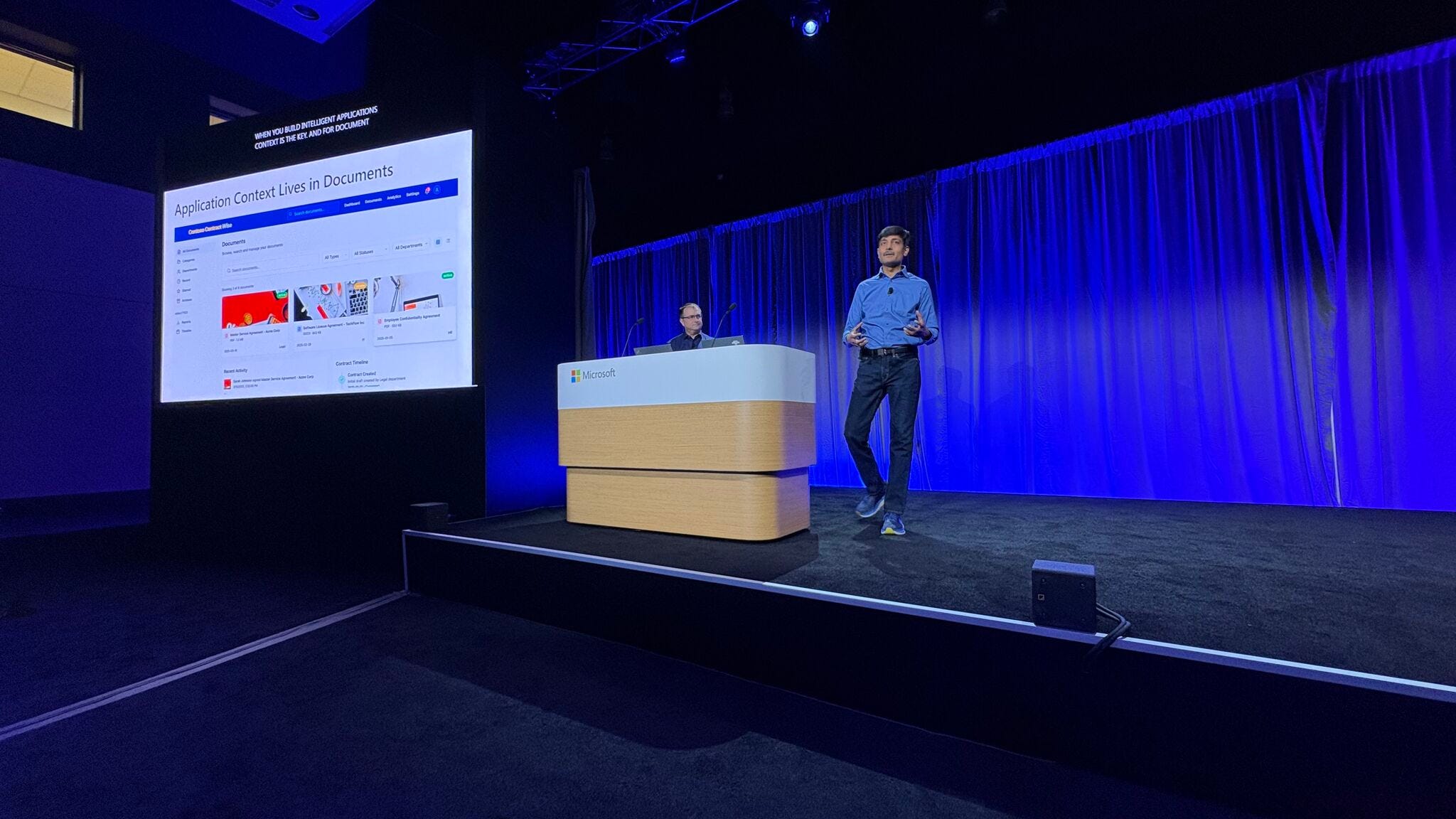
Conference storytelling
Conferences start with a pitch. If the pitch isn’t compelling, the session doesn’t get approved.
I used Copilot to:
Tailor session pitches to specific audiences
Write session descriptions that hooked reviewers
Create a narrative arc for the talk itself
Decide where demos should appear for maximum impact
Once I had the story, I used Copilot to generate an initial slide deck. That gave me a strong starting point for visual storytelling.
What I learned: AI is excellent at structure: outlines, arcs, flow. It’s less good at the spark that makes something memorable. I’d use AI to get to 70%, then do the creative work myself to get to 100%.
Creating content without burning time
Social visibility matters. Blog posts. LinkedIn updates. Internal announcements. Sharing your work is part of the job.
But it’s also the first thing to fall off the priority list when you’re busy.
AI made content creation fit into my day. I’d dictate rough thoughts between meetings, ask AI to structure them, and edit before publishing. Some posts took fifteen minutes.
What I learned: Consistency beats perfection. AI let me ship more frequently, which built visibility over time. The compound effect of regular content creation is real, but only if you actually do it. AI made “actually doing it” possible.
Tactical, everyday usage
Some of the biggest wins weren’t strategic. They were small.
In a group chat about a large deal, I used Copilot Researcher to project API usage based on existing context and reference docs. It wasn’t perfect. It was good enough. It unblocked the team instantly.
Continuing the practice to use the in-line context available in chats and emails, I started using Copilot to schedule meetings across time zones, pulling the right people, drafting or sending invites - saving time and context switching.
When new jargon and concepts show up in a conversation, Copilot enlightened me on the highlight phrases in place instead of context-switching to search.
For “how do I do this?” questions about internal tools, HR systems, or processes, Copilot saved real time and cognitive energy.
Copilot Researcher became one of my most-used tools. I’d use it for customer research, market analysis, competitive intelligence, and even to pressure-test my own strategy docs. Perplexity filled a similar role for web searches that needed more depth.
What I learned: Friction adds up. Tiny time savings, repeated daily, compound into hours. AI is most transformative in the hundred small moments.
The boundary: what I kept for myself
Copilot helped me draft performance reviews by summarizing my work across meetings, chats, and docs. It gave me an 80% starting point instead of a blank page.
It also helps with customer research and market understanding.
But I learned something important with strategy docs.
When Copilot writes the strategy end-to-end, even when seeded from my own rough drafts, I don’t own it. I don’t feel connected to it. I don’t want to reread it.
This was a hard-won lesson. I’d generated impressive-looking docs that I couldn’t stand behind even though the actual content was compelling.
What I learned: My current rule is this: use AI for research, synthesis, and structure. Write vision and strategy myself. Blocking time to write, even messily, creates better thinking. The act of writing is the thinking. Don’t skip it.
Closing thought
AI didn’t make me a better product manager by doing my job for me or automating tasks.
It made me better by removing friction, accelerating learning, and helping me scale as an individual contributor.
I built things I wouldn’t have built. I shipped content I wouldn’t have shipped. I understood my product more deeply because I ran the evals myself, reviewed the failures manually, and felt the gaps firsthand.
But I also learned where to draw the line. Some work, the vision, the strategy, the hard thinking, has to stay yours.
Used intentionally, AI becomes leverage.
Used blindly, it becomes noise.
That distinction matters.
Appendix: the AI tools I used
Here’s a summary of the tools that powered this quest:
For building and coding
Visual Studio Code - playground for understanding and running Git repos locally, building my own, checking in to Git.
GitHub Copilot - understanding SDKs, navigating sample code, building my own agent
For research and analysis
Copilot Researcher - customer research, market analysis, competitive intelligence, deal support
Copilot Analyst - creating pivot tables to analyze eval scoring reports
Perplexity - deep web searches
For productivity and communication
Copilot for work - Q&A, summarization, drafting decks and planning docs, scheduling, semantic search across files and conversations
For prototyping and demos
V0, Lovable, Cursor - UX prototypes, sample apps
For general use
ChatGPT, Copilot (web) - personal and general usage
I’m curious: if you’ve been experimenting with AI in your own work, what’s worked? What hasn’t? I’d love to hear what you’re learning.
Github Copilot is in my todo for this holiday. Thanks for sharing!